
Returning Student Enrollment Help
Returning Student Enrollment Help?
Forgot Email linked account:
- Contact School Office Staff
Forgot Username or Password:
- Use the forgot username/password link on the login page.

- Username:
- You will need the email to linked the account. Contact School Office Staff.

- Password:
- You will need the username AND email to linked the account. Contact School Office Staff.


If using a phone:
- Check the screen orientation on your phone is not locked
- Turn the phone sideways (horizontal)
| Vertical View | Horizontal View | |
|
|
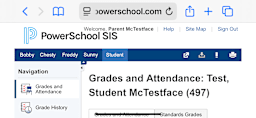 |
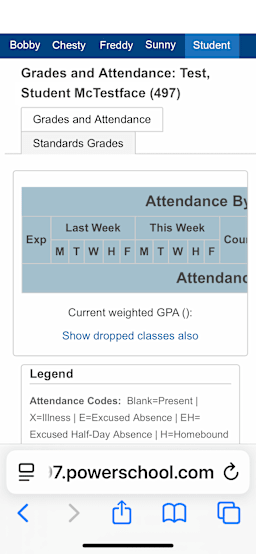
Complete another form for a different FPCS Student:
- From the Enrollment website, go back to PowerSchool.
- Select the students' tab at the top of the page.
_1777920099.png)
- Select the Returning Student Enrollment link on the left.
- Each link is specific to the selected student.

Need More Help?
Schedule an Appointment:
- Go to the 26-27 Returning Student Enrollment Assistance Appointment Sign Up post in ParentSquare
ParentSquare Post to SIgn-Up for an Appointment
- If not logged in, you will be prompted to log into your ParentSquare account.
